


BuildCalc
4.776.00 Reviews
App Specs
- Version
- 2.15.126
- Updated On
- License
- $24.99
- Downloads
- 10,000+
- Developer
- 42nd Parallel
- Categories
- Business
- Platform
- Android, iOS
Screenshots
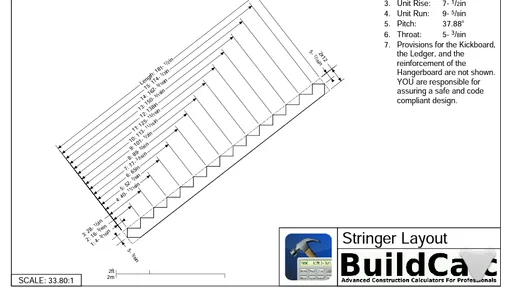
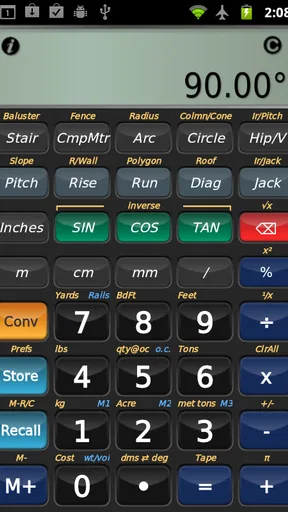
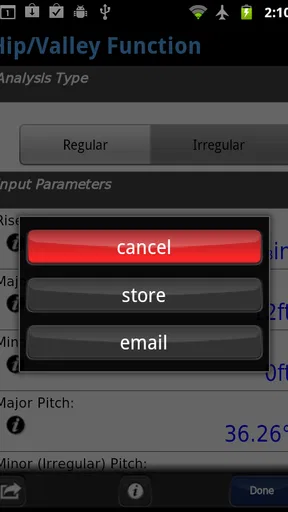
 Analysis by AppCompare
I came away from BuildCalc with the impression that it is aimed at people who want construction calculations to feel more deliberate than a quick phone-calculator estimate. It is a paid business app from 42nd Parallel, listed at $24.99, and its focus is clear: helping users work through building-related numbers without constantly switching between paper notes, mental arithmetic, and a general-purpose calculator.
That focus matters because construction work rarely happens in a quiet office. A calculation may be needed beside a wall, in a vehicle, on a ladder platform, or while discussing a change with a customer. In those situations, the best calculator is not simply the one with the most operations. It is the one that lets me enter values in a way that matches the job, read the result without hesitation, and check my reasoning before material is cut or ordered.
My overall view is positive, but it is not a universal recommendation. BuildCalc makes the most sense for tradespeople, estimators, builders, and serious DIY users who regularly deal with dimensions and construction formulas. Someone who only needs occasional addition, percentages, or a basic area calculation will probably find the price and specialized approach harder to justify.
How the layout affects readability and navigation
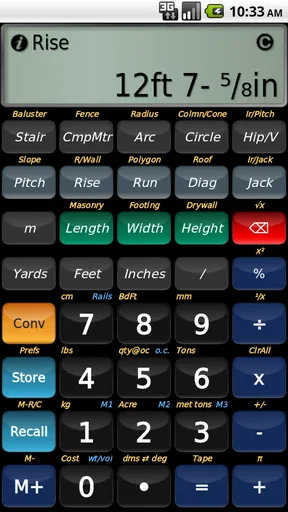
The first thing I would consider before installing this app is whether I want a construction-specific workspace rather than a familiar calculator pad. BuildCalc is designed around the needs of building calculations, so its value comes from reducing the translation between the way a person describes a job and the way a calculator normally expects numbers to be entered.
That can make a real difference when working with lengths, areas, volumes, angles, quantities, and material estimates. Instead of treating every problem as a long string of decimal arithmetic, I can approach it as a construction task. The practical benefit is not just speed. It is easier to keep the purpose of a calculation in mind and notice when a result does not make sense.
For readability, I would use it with a clear habit: enter one stage of the calculation, pause, and check the displayed result before moving on. This is especially useful when converting a measurement into a total order quantity. A specialist calculator can make complex work faster, but it can also make a wrong assumption look tidy. The screen may show a precise answer even when the original dimension was entered incorrectly.
Navigation is most comfortable for users who already understand the terminology of construction math. A professional will usually recognize what kind of operation is needed and why a particular result matters. A beginner may need time to learn the app’s workflow and decide which calculation path fits a real task. I would not treat the app as a substitute for learning the underlying formulas.
Worth Reading Before You Choose

Flipboard Shows What News Apps Must Do Beyond the Feed

Switching to Android Auto Means Rethinking Your Driving Routine

Google Calendar Makes a Crowded Week Easier to Manage

Ludo King Makes the Most of the Minutes Between Plans

Baby Panda World Brings Quick Play to Modern Phones, but Its Game Library Feels Busy

ESPN’s Live Game View Makes Following Close Games Easier
One useful workflow is to prepare a small sequence before starting: identify the measurements, decide the unit system, calculate the base result, and only then apply waste or rounding. This keeps the app from becoming a place where every adjustment is mixed together. It also makes the final number easier to explain to a colleague or customer.
The app has earned a 4.7 average from around 203 ratings, which suggests that its specialized approach is working well for many users. I would still interpret that positively but personally: a strong rating does not remove the need to test the interface with the kind of calculations I actually perform. Construction tools are very dependent on habits, trade, and preferred units.
Why a specialist calculator can be clearer than a general one
A standard calculator is excellent for quick arithmetic, but it makes me remember too much of the surrounding process. I have to decide how to represent dimensions, when to convert units, how to preserve intermediate values, and whether I am applying a formula in the right order. BuildCalc is more useful when the problem is not simply “what is this sum?” but “how do these measurements become a practical building quantity?”
That distinction is important for estimating. If I am comparing two material options, I want to repeat the same calculation with only the relevant input changed. A construction-oriented workflow can help me stay consistent, whereas a general calculator often leaves the logic scattered across several entries and handwritten notes.
There is also a confidence benefit. When the calculation is organized around the job, I can review the inputs as part of the task rather than staring at an unexplained final number. I still need to check the result, but the app encourages a more traceable process than mental math or a basic calculator.
Motor, visual, and sensory considerations in everyday use
Construction calculations are often performed with imperfect hands and imperfect attention. I may be wearing gloves, holding a tape measure, standing outdoors, or trying to keep a conversation going. That changes what “easy to use” means. A calculator that feels comfortable at a desk may be awkward when I have only one free hand or when sunlight makes the display harder to inspect.
BuildCalc is therefore best judged by the amount of precise tapping it demands and by how easily I can recover from an input mistake. Users with limited finger dexterity should try a few realistic entries rather than relying on the app’s description. The important question is whether the controls feel forgiving enough for repeated use, especially when entering several dimensions in succession.
For users with visual differences, the key issue is not only the size of individual characters. Contrast, spacing, the distinction between entered values and calculated results, and the ability to recognize the current operation all affect safety. I would test the app at the brightness and viewing distance I normally use on site. A screen that is readable indoors may be less comfortable beside reflective materials or in strong daylight.
People who rely on enlarged text, screen magnification, voice interaction, or other device-level assistance should check how those tools behave with the app on their own phone. I cannot treat a construction calculator as inclusive merely because it contains useful formulas. Inclusive access depends on whether the whole interaction remains understandable under real working conditions.
Sensory load is another practical concern. A busy worksite may include machinery, traffic, conversation, and changing light. In that environment, I prefer a workflow that minimizes the need to remember what I just tapped. Entering a measurement, confirming it, and reviewing the result immediately is safer than building a long chain of operations while distracted.
A helpful personal technique is to use spoken confirmation with a coworker for high-consequence numbers. I can say the key dimensions aloud, enter them, and then read the result back. That is not a feature claim about the app; it is a simple way to compensate for the fact that a phone screen may not be the easiest place to verify an important calculation.
One realistic job-site scenario
Imagine I am measuring a room before ordering flooring. I have several lengths, an awkward section, and a customer waiting for a rough estimate. With a basic calculator, I might calculate each area separately, write down the answers, add them, and then apply an allowance. That process works, but every handwritten transfer creates another opportunity for a misplaced digit.
With BuildCalc, I would keep the measurement process structured: record the dimensions, calculate each section, review the subtotal, and apply the final adjustment only after the base area looks reasonable. If the result seems too high, I can inspect the individual inputs instead of starting from scratch. The app does not replace careful measuring, but it can make the arithmetic stage less fragmented.
The same approach can help with a quick framing estimate. I would separate the geometric calculation from the practical quantity decision. First I determine the underlying dimensions. Then I consider spacing, cuts, waste, or other job-specific factors. Keeping those decisions separate is a non-obvious advantage of using a dedicated calculation workflow: it reduces the temptation to hide assumptions inside one unexplained total.
Where it works well in changing situations
The app is most convincing when the user moves between planning and execution. At a desk, I can use drawings, spreadsheets, or estimating software with more room for documentation. On site, I need something quicker that still understands the kind of numbers I am handling. BuildCalc occupies that middle ground between a simple calculator and a full project-management system.
For a self-employed tradesperson, it can be useful during a visit when a customer changes the scope. I can recalculate a quantity while discussing the revised dimensions instead of postponing the answer until I return to the office. That does not mean I should turn an estimate into a promise immediately. I would still label it as an estimate and confirm measurements before purchasing materials.
For a learner, the app can be valuable as a way to connect formulas with practical examples. I would use it alongside a notebook, not instead of one. Writing down what each number represents helps build understanding and makes it easier to spot when a result is mathematically correct but unsuitable for the job.
For an experienced user, the strongest use case is repetition. If I perform similar calculations every week, saving time and reducing manual conversion can justify a specialist tool. The benefit becomes less obvious for a homeowner who needs one renovation estimate every few months. In that case, a free general calculator or a simple spreadsheet may be enough, particularly if the user is comfortable checking the formula independently.
BuildCalc is marked for Everyone, which makes it broadly suitable from an age-rating perspective. That label should not be confused with professional readiness. A young or inexperienced user can open the app, but construction decisions still require supervision, sound measurements, and knowledge of local practice. The interface can support arithmetic; it cannot judge whether a wall is safe to remove or whether a material specification is appropriate.
The app has accumulated over ten thousand installs, so it is not an obscure experiment, but it remains a focused tool rather than a mainstream household utility. That is part of its appeal. It is built for people who recognize the problem it is trying to solve, not for users looking for an all-purpose productivity suite.
When another tool is the better choice
I would choose a spreadsheet when I need a lasting estimate with item names, supplier prices, tax, revisions, and notes. A spreadsheet is slower for quick field calculations, but it is better at documenting how a quote was assembled. I would choose dedicated estimating or project software when several people need to share the same job information and track changes over time.
I would choose a basic calculator when the task is genuinely basic. Paying for a construction calculator does not make sense just to total a few receipts or divide a measurement once. BuildCalc earns its place when its construction-oriented workflow replaces repeated manual steps.
I would also be cautious about using it as the only tool for safety-critical work. Structural design, electrical planning, engineering decisions, and code compliance demand more than arithmetic. A calculator can support those processes, but it should not be treated as professional verification.
Remaining friction and barriers to inclusive use
The main barrier is specialization. The more closely an app is shaped around construction work, the more it assumes that the user knows what they are trying to calculate. That is efficient for a trade professional, but it can feel less welcoming to a first-time DIY user who does not know whether a problem should be expressed as an area, volume, ratio, or another type of calculation.
The price is another meaningful consideration. At $24.99, this is a deliberate purchase rather than an impulse download. I would want to identify several recurring jobs before paying for it. A contractor who uses construction math frequently may recover that cost through saved time and fewer transcription errors. A casual user may prefer to combine a free calculator, a notebook, and a trusted reference guide.
There is also a risk of overconfidence. A specialized interface can make a result feel authoritative, especially when the displayed answer has more precision than the measurements deserve. If I measure to a rough approximation, I should not report the final number as though it were exact. Rounding should reflect the quality of the original measurement and the practical way materials are sold.
Version compatibility is worth checking before installation. The current version is 2.15.126 and it requires Android 8.0 or later. That is straightforward for many users, but anyone working with an older phone should confirm compatibility before relying on the app for a job. On a shared work device, I would also test the display and input behavior in the conditions where it will actually be used.
The app comes from 42nd Parallel and has been available since July 27, 2011, giving it a long presence compared with many short-lived utility apps. Longevity is reassuring, but I would still keep a backup method for important calculations. A paper worksheet or familiar calculator takes almost no space and protects against a dead battery, a damaged phone, or an unexpected interruption.
My inclusive verdict for working users
BuildCalc is a strong fit for people who regularly turn measurements into construction decisions. I like it most as a focused field companion: something that can reduce arithmetic clutter while leaving the user responsible for measuring carefully, choosing sensible assumptions, and checking the final quantity. Its value grows with repetition, especially for tradespeople and estimators who want a more purposeful alternative to a standard calculator.
From an inclusive-use perspective, I would describe it as promising but practical rather than universally effortless. Users with different visual, motor, or sensory needs should test it in their own conditions, particularly outdoors, with one hand occupied, or while using device accessibility tools. The app can support a clearer calculation routine, but the surrounding environment and the user’s familiarity with construction math still matter greatly.
I would recommend it to a friend who regularly measures rooms, calculates material quantities, or revises estimates on site. I would not recommend buying it solely for occasional household arithmetic, and I would never present it as a replacement for engineering judgment or formal project records. The best results come from pairing it with a written measurement habit and a final reasonableness check.
In short, this is a specialized paid business app with a clear audience. Its 4.7 average and established history are encouraging, while the price and learning curve make the decision more personal than a free calculator download. If construction calculations are part of my normal week, BuildCalc is likely to feel like a useful upgrade rather than another app on the phone. If they are not, the usual alternatives will probably be simpler and more economical.
Pros
- Covers many construction and renovation calculations in one app.
- Helps reduce manual math errors on job sites and at home.
- Useful for estimating materials
- dimensions
- areas
- and volumes.
- Provides quick results without needing an internet connection.
- Practical interface for contractors
- builders
- and DIY users.
Cons
- Some calculations may require construction knowledge to use correctly.
- The number of tools can feel overwhelming for first-time users.
- Results depend entirely on entering accurate measurements and units.
- Advanced features may be limited or require a paid version.
- Interface design may feel dated compared with newer calculator apps.
FAQs for BuildCalc
What is BuildCalc and who is it designed for?
BuildCalc is a construction-focused calculator app designed to help builders, contractors, tradespeople, estimators, and DIY users perform common job-site calculations. Depending on the selected tool, it can assist with measurements, materials, quantities, areas, volumes, and other practical building tasks. It is most useful for users who want quick calculations without carrying separate reference tables or relying on manual formulas.
What types of calculations can I perform with BuildCalc?
BuildCalc provides a collection of calculators intended for different construction and renovation scenarios. The available tools may cover areas such as length, area, volume, material estimates, concrete, framing, roofing, or other trade-related measurements. The exact selection can vary by version and platform, so it is worth checking the app’s current feature list before downloading if you need a specific calculator for a particular project.
Is BuildCalc suitable for professional construction work?
BuildCalc can be a convenient support tool for professionals because it offers fast calculations in a format that is easier to use on a phone than handwritten formulas. However, it should not replace proper plans, building codes, engineering calculations, or professional verification. Before ordering materials or beginning structural work, review the results carefully and confirm important measurements with reliable project documentation or a qualified professional.
Does BuildCalc work offline, and what device permissions does it require?
Many calculator functions in BuildCalc can generally be used without a continuous internet connection, which makes the app practical on construction sites with limited reception. Nevertheless, some features, updates, advertising, or external content may depend on connectivity. Users should also review the permissions requested during installation and make sure they are comfortable with them, particularly if the app includes optional tools that use storage or other device features.
Is BuildCalc free to download, and are there advertisements or paid features?
The availability and pricing of BuildCalc can differ between Android and iOS, as well as between app versions. The basic download may be free, but the app could include advertisements, in-app purchases, premium calculators, or other optional upgrades. Check the listing for your device before installing and review the purchase details carefully. This helps you understand which functions are included at no cost and whether recurring charges apply.


